Transfer a .night domain
Learn how to safely transfer your .night domain to another user on the Midnight Network. This process requires careful verification to ensure a successful transfer.
Before You Start
Section titled “Before You Start”Ensure you have:
- Any wallet that supports the Midnight Network.
- The wallet address of the recipient.
- The Owner Key of the recipient. This is the middle field in the domain profile header. You can ask the recipient to provide it to you, or you can find it another domain owned by the recipient.
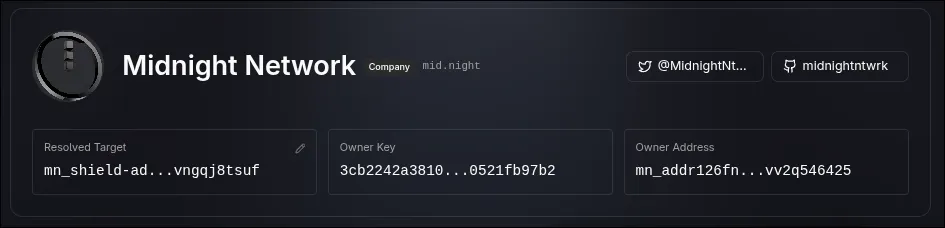
Transfer Process
Section titled “Transfer Process”-
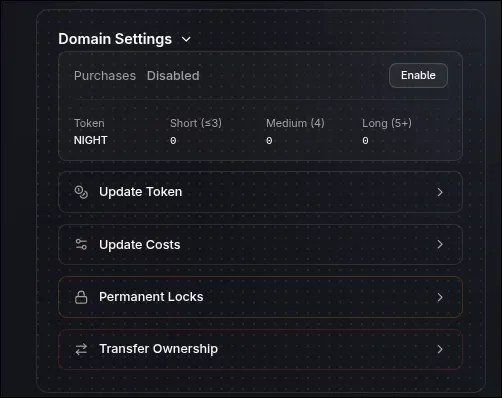
Access domain settings
Scroll down to the Domain Settings section below the Domain Fields area.
-
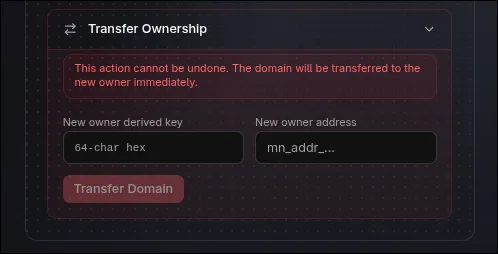
Open and fill the transfer form
In the transfer section:
- Paste the recipient’s Unshielded Address
- Paste the recipient’s Owner Key
-
Review and confirm
- Review all details one final time
- Confirm the recipient address is correct
- Click Transfer Domain
-
Complete the transaction
After clicking Transfer Domain, you’ll be requested to sign the transaction using your Lace Wallet.
- Sign the transaction with your Lace Wallet
- Wait for confirmation
- You’ll see a success message when the transfer is complete
Common Issues
Section titled “Common Issues”Transfer failed?
- Verify the recipient address is valid
- Ensure you have sufficient funds in your Lace Wallet for transaction fees
- Check that your wallet is properly connected
Need to cancel?
- Transfers cannot be cancelled once executed. After signing the transaction, the transfer is permanent.